I Built a Panel Applet for COSMIC DE, and Learned More Than I Bargained For
It started with a movie.
I was forty minutes into Dune: Part Two, laptop balanced on my knees, when the screen went black. Power management doing what it was told. I fumbled for the trackpad, woke the machine up, and immediately thought: where’s my caffeine applet?
I’d switched to COSMIC DE a few weeks earlier, System76’s new Rust-native desktop, still technically in alpha. It had gotten stable enough to daily-drive around alpha 2, and the experience was genuinely good. Snappy. Coherent. Clearly built by people who’d spent years being frustrated by X11, GNOME Shell extensions, and the general state of Linux desktop tooling. But it didn’t yet have a caffeine-style applet. The kind that sits in your panel and keeps the system awake on demand.
So I built one. The source is on GitHub. This post is about what building it taught me: about how Linux actually manages sleep, about crash-safe resource design, and, the part I didn’t expect., about how COSMIC’s framework is shaping up as a platform for building real things.
First, some context on COSMIC itself
COSMIC is not a reskin of GNOME or KDE. It’s a full Rust rewrite, built on Iced for rendering, Smithay for the Wayland compositor, and libcosmic as the shared UI toolkit. System76 started building it because they’d spent years maintaining a GNOME Shell extension for Pop!_OS’s tiling workflow and eventually concluded that the extension model was the wrong foundation.
The result is a desktop that’s Wayland-only from day one (no X11 compatibility layer), Rust all the way down, and designed around an explicitly declared application model. That last point matters for what comes next.
What “preventing sleep” actually means
Before writing a line of code, I had to understand how sleep inhibition actually works on Linux, because it’s not obvious.
On modern Linux, sleep and idle are managed by systemd-logind (or elogind on non-systemd distros). Applications can’t directly block sleep. Instead, they request an inhibit lock over D-Bus, and logind respects it while that lock is held. The call looks like this:
org.freedesktop.login1.Manager.Inhibit(
    what:   "idle:sleep",
    who:    "Caffeine Applet",
    why:    "Caffeine session active",
    mode:   "block"
)
what is a colon-separated list of things to inhibit. The applet supports idle, sleep, and optionally handle-lid-switch (which prevents sleep on lid close). mode: "block" means the lock actively prevents the action, as opposed to "delay", which just postpones it briefly to let applications flush state before shutdown.
The call returns a file descriptor. That FD is your lock. While you hold it open, logind will not let the system idle or sleep.
The crash-safety problem
Here’s where it gets interesting.
Most sleep-prevention implementations use one of two approaches: they run systemd-inhibit as a child process, or they periodically call xdg-screensaver reset on a timer. Both have the same failure mode: if your application crashes, the inhibit can stay active indefinitely. The child process keeps running. The timer never fires again. Your laptop sits in a meeting room refusing to sleep for the rest of the day.
The FD approach eliminates this entirely. File descriptors are process-owned resources. When a process dies (cleanly or with a SIGSEGV) the kernel closes all its open FDs. When the inhibit FD closes, logind automatically releases the lock. There’s no cleanup code to forget. There’s no “check if the process is still alive” polling. The operating system is the cleanup mechanism.
In Rust, this maps perfectly onto the ownership model. OwnedFd from std::os::fd is a newtype wrapper that calls close() on drop:
pub struct CaffeineApplet {
    core: Core,
    inhibit_fd: Option<OwnedFd>,  // Some = active, None = inactive
    config: CaffeineConfig,
}
Toggling the applet off is then literally:
self.inhibit_fd = None; // OwnedFd drops, FD closes, lock releasesNo explicit unlock. No cleanup function. The lock lifetime is the variable’s lifetime. I find this kind of thing genuinely satisfying, which is when the language’s resource model and the OS’s resource model happen to be isomorphic, you get correctness almost for free.
Talking to D-Bus with zbus
The inhibit call goes through zbus, the idiomatic async-capable Rust D-Bus library:
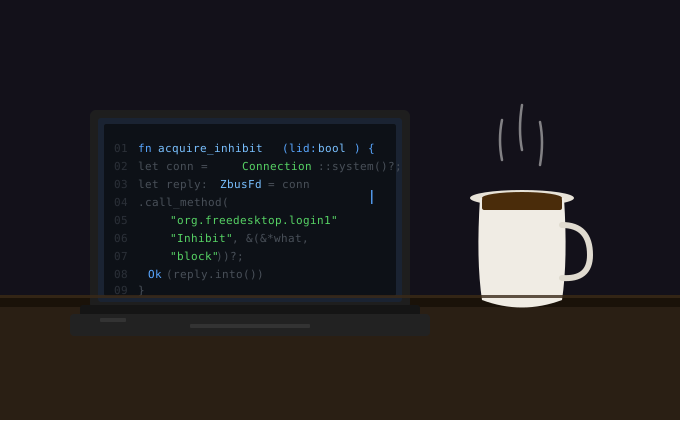
fn acquire_inhibit(inhibit_lid: bool) -> Result<OwnedFd, Box<dyn std::error::Error>> {
    let conn = Connection::system()?;
    let what = build_what(inhibit_lid);

    let reply: ZbusFd = conn.call_method(
        Some("org.freedesktop.login1"),
        "/org/freedesktop/login1",
        Some("org.freedesktop.login1.Manager"),
        "Inhibit",
        &(&*what, "Caffeine Applet", "Caffeine session active", "block"),
    )?
    .body()
    .deserialize()?;

    Ok(reply.into())
}
One thing worth noting: I’m using zbus in blocking mode, not async. This is intentional. The applet runs on cosmic::SingleThreadExecutor, COSMIC’s lightweight single-threaded runtime and async zbus would just add overhead for a D-Bus call that completes in microseconds. Choosing the right async granularity is one of those decisions Rust makes you think about explicitly, which is sometimes annoying and sometimes clarifying.
Building for COSMIC: the applet model
This is the part I want to spend more time on, because COSMIC’s framework is less documented than it deserves to be.
The cosmic::Application trait
COSMIC applets are built on libcosmic, which provides a cosmic::Application trait that works like a minimal Elm architecture: you define your state, your messages, and the init → update → view cycle. For a panel applet, the surface area is deliberately smaller than a full application.
impl cosmic::Application for CaffeineApplet {
    type Executor = cosmic::SingleThreadExecutor;
    type Flags = ();
    type Message = Message;
    const APP_ID: &'static str = "com.github.codevardhan.caffeine-applet";

    fn core(&self) -> &Core { &self.core }
    fn core_mut(&mut self) -> &mut Core { &mut self.core }

    fn init(core: Core, _flags: ()) -> (Self, Task<Action<Message>>) { ... }
    fn update(&mut self, message: Message) -> Task<Action<Message>> { ... }
    fn view(&self) -> Element<'_, Message> { ... }
}
The Executor associated type is worth calling out. SingleThreadExecutor is COSMIC’s built-in option for applets that don’t need async parallelism. For applets that do, say, one that fetches weather data, you’d use Tokio instead.
The applet-specific APIs
The core.applet accessor exposes panel-specific helpers that a full application wouldn’t have. The most useful for a simple applet is icon_button:
fn view(&self) -> Element<'_, Self::Message> {
    let icon = if self.inhibit_fd.is_some() { ON } else { OFF };
    self.core
        .applet
        .icon_button(icon)
        .on_press_down(Message::ToggleCaffeine)
        .into()
}
The icon names (com.github.codevardhan.caffeine-applet.On and .Off) follow a convention COSMIC uses to distinguish between applet states. When you install the applet, you provide SVGs named after the app ID with state suffixes and the panel picks up the right one automatically depending on which icon name is active.
There’s also core.applet.popup_container() for applets that open a popup on click (think the clock applet showing a calendar), core.applet.suggested_size() for respecting the panel’s configured icon size, and core.applet.is_horizontal() for adapting layout between horizontal and vertical panels. None of these are documented extensively yet, but they’re in the libcosmic source and they work.
cosmic-config: persistence without boilerplate
COSMIC ships a config system called cosmic-config that gives applications structured, versioned key-value persistence backed by the filesystem, with automatic migration support between config versions. For the applet:
const CONFIG_VERSION: u64 = 1;

fn load_or_create_config() -> CaffeineConfig {
    let context = cosmic_config::Config::new(ID, CONFIG_VERSION)?;
    let inhibit_lid = context.get::<bool>("inhibit_lid").unwrap_or(false);
    CaffeineConfig { inhibit_lid }
}
Config files land at ~/.config/cosmic/<app-id>/v<version>/. The version is significant, if you bump CONFIG_VERSION, the framework will look for migration logic between the old and new format, rather than silently breaking on schema changes. That’s a small thing, but it’s the kind of detail that might get ovberlooked easily.
Making the panel discover your applet
The final piece is the .desktop file. COSMIC uses standard XDG desktop entries with a few extra keys:
[Desktop Entry]
Name=Caffeine Applet
Type=Application
Exec=caffeine-applet
NoDisplay=true
X-CosmicApplet=true
X-CosmicHoverPopup=End
X-OverflowPriority=10
X-CosmicApplet=true marks this as a panel applet rather than a launchable application (hence NoDisplay=true, it won’t show up in your app launcher). X-CosmicHoverPopup=End tells the panel where to anchor popup windows relative to the applet icon. X-OverflowPriority controls the order in which applets get hidden if the panel runs out of space, lower numbers hide first.
Once installed, the applet appears in Settings → Desktop → Panel → Configure panel applets and can be dragged into any panel position.
One gotcha worth knowing: lid-close inhibition
Closing the laptop lid and sleeping are separate inhibit targets. The applet blocks idle:sleep by default, which covers automatic sleep and screensaver idle, but lid-close is handle-lid-switch, which is its own inhibit. Enabling it overrides whatever the user has configured in power settings, which felt presumptuous to do silently.
To opt in:
echo "true" > ~/.config/cosmic/com.github.codevardhan.caffeine-applet/v1/inhibit_lidRestart the applet and it’ll pick up the change. Future versions will surface this as a toggle in the applet’s popup panel.
What COSMIC as a platform feels like right now
Building this applet took an afternoon. That includes reading the libcosmic source to understand the applet APIs, writing the D-Bus code, figuring out the icon naming convention, and getting the install recipe right. For a system that’s still in alpha, that’s a surprisingly low-friction experience.
What’s missing is documentation. The core.applet APIs aren’t in any guide, you find them by reading libcosmic source or looking at first-party applets like the status bar clock. The X-Cosmic* desktop file keys aren’t formally documented anywhere I could find. The cosmic-config migration system exists but isn’t explained. These are all gaps that will close as COSMIC matures, but right now, building on the framework requires a willingness to read Rust source code and draw your own conclusions.
What’s already there is genuinely good. The Elm-style architecture makes applets predictable. The config system is thoughtfully versioned. The applet APIs give you exactly the hooks you need without exposing you to the full complexity of the panel. The Wayland-native foundation means you’re not building on a platform that’s quietly dragging X11 compatibility weight everywhere.
System76 is betting that a fully Rust-native desktop, built from scratch with modern tooling, will eventually be better than incrementally patching C desktops that have been accumulating complexity for thirty years. Based on what I can see in libcosmic and the COSMIC compositor, that bet is looking increasingly reasonable.
Getting it
git clone https://github.com/codevardhan/caffeine-applet.git
cd caffeine-applet
just build-release
sudo just install
Then add it via Settings → Desktop → Panel → Configure panel applets. Flatpak packaging is in progress for Flathub, the manifest is in the repo if you want to build it locally before then.
If you’re building your own COSMIC applet and hit something confusing, the first-party applets in cosmic-applets are the best reference material available right now. The network applet and the battery applet are good ones to start with, complex enough to show real patterns, simple enough to follow.