Jellyfin Doesn't Let You Read Books. So I Built the Backend That Does.
My home server runs Jellyfin. Movies, TV shows, the occasional video game clips, it handles all of it beautifully. Remote streaming, multiple users, automatic metadata, mobile apps with offline sync. The whole thing just works, and I haven’t touched a subscription service in two years.
About six months ago I decided to throw my book collection into it too. Jellyfin has a book library feature, it scans EPUBs and PDFs, pulls metadata from OpenLibrary and other sources, downloads covers, organises everything into a clean shelf view. I pointed it at my directory of a few hundred EPUBs and it had everything catalogued in about ten minutes.
Then I went to open one.
There’s no reader. Not in the web UI, not in the mobile apps, not anywhere. Jellyfin will lovingly catalogue your books, display their covers, tell you the ISBN and publication date and number of pages, and then offer you absolutely nothing to do with them. The Bookshelf plugin exists, but it’s metadata browsing only. The files sit there on the server, perfectly organised, completely inaccessible through the one interface where I’d actually want to read them.
I spent a weekend looking for a solution that already existed. I didn’t find one. So I built it instead.
jellyfin-plugin-bookreader is a Jellyfin plugin that turns your book library into a proper reading backend, library browsing, file streaming, cover extraction, progress sync across devices, session tracking, and reading statistics. And Shellf is the Android app that sits on top of it.
Why a plugin, not a standalone service
The obvious alternative is a separate service that reads your book files directly: something like Calibre-Web, which has its own library management, its own user accounts, its own everything. I went with a Jellyfin plugin for a specific reason: I didn’t want to solve problems Jellyfin has already solved.
Authentication. Library scanning. Metadata. Cover images. Format detection. User accounts. API key management. Jellyfin handles all of it, and a plugin gets it all for free. The plugin only has to implement what Jellyfin lacks, the reading backend.
The tradeoff is real: you’re building inside Jellyfin’s constraints. Their plugin API, their DI container, their ABI versioning system. Those constraints bit me several times during development. But I’ll take dealing with one set of infrastructure over maintaining two.
What the plugin exposes
The plugin adds a set of REST endpoints to your Jellyfin server that a reading app can build on top of.
Library browsing: /books returns your collection with filtering by author, genre, format, and reading status. Paginated, sortable, searchable. It delegates to Jellyfin’s own library database, so anything Jellyfin already knows about your books; series, tags, ratings, comes through automatically.
File streaming: /books/{id}/file streams the raw file with proper MIME types and range request support. Range requests matter more than they sound: a 500-page PDF is 80MB. Without range support, a reading app has to download the whole file before rendering page one. With it, you can jump to chapter 12 and only fetch what you need.
Cover extraction: a two-stage fallback. Jellyfin’s image cache is checked first, since it’s already downloaded covers for most books during library scan. If there’s a cache miss, the plugin extracts the cover directly from the EPUB. Which leads to the messiest part of the whole project.
The EPUB cover problem
The EPUB spec is technically clear about how to declare a cover image. The real world is less cooperative.
There are three distinct ways covers appear in EPUB OPF manifests in practice. Some publishers use the cover-image property on a manifest item, which is the the modern approach. Some use a <meta name="cover"> tag pointing to a manifest ID, the older approach. Some don’t declare it at all and just include a file named cover.jpg or cover.png and hope parsers are lenient. A significant number of EPUBs I tested used a combination of two of these simultaneously, which shouldn’t be possible but is.
The extraction code tries all three in sequence:
private string? ExtractCoverFromEpub(string epubPath)
{
    // Strategy 1: cover-image property (EPUB3)
    var coverItem = manifest.Items
        .FirstOrDefault(i => i.Properties?.Contains("cover-image") == true);

    // Strategy 2: <meta name="cover"> pointing to manifest ID (EPUB2)
    if (coverItem == null) {
        var coverId = metadata.MetaItems
            .FirstOrDefault(m => m.Name == "cover")?.Content;
        coverItem = manifest.Items.FirstOrDefault(i => i.Id == coverId);
    }

    // Strategy 3: filename convention fallback
    if (coverItem == null) {
        coverItem = manifest.Items.FirstOrDefault(i =>
            Path.GetFileNameWithoutExtension(i.Href)
                .Equals("cover", StringComparison.OrdinalIgnoreCase));
    }

    return coverItem?.Href;
}
Even after getting this right, I ran into SharpCompress, the C# library for reading ZIP/RAR archives (EPUBs are ZIPs, CBZ files are ZIPs, CBR files are RARs). The SharpCompress API changed in a breaking way between versions: method signatures moved, some helpers were removed. The fix was pinning to a specific version and adjusting the extraction code, but diagnosing it required reading the changelog line by line. Not fun.
Reading progress: the sync problem
Progress sync sounds simple. It gets complicated the moment two devices are involved.
The plugin uses a three-tier progress model depending on what the format can express:
Tier 1 (all formats):   percentage, position, isFinished
Tier 2 (page-based):    currentPage, totalPages
Tier 3 (EPUB/FB2):      chapterIndex, chapterTitle, pageInChapter, totalPagesInChapter
The position field is intentionally opaque. It stores whatever token the client sends; an EPUB CFI, a byte offset, a page number without attempting to interpret it. The server doesn’t need to understand the position. It needs to give it back to the same client later. This sidesteps a whole category of server-side format-parsing complexity and puts interpretation where it belongs: in the client that understands the format.
The harder problem is conflict resolution. If you read fifty pages on your phone during a commute, then open the same book on a tablet before the phone has synced, you now have two divergent progress states. The plugin detects this by comparing lastReadAt timestamps. A stale update, one with an older timestamp than what the server already has, gets a 409 Conflict response containing the current server state:
{
  "status": "conflict",
  "serverProgress": {
    "percentage": 0.67,
    "lastReadAt": "2026-04-12T09:23:11Z",
    "currentPage": 201,
    "totalPages": 298
  }
}
The client decides what to do, accept the server state, keep the local state, or surface a merge prompt to the user. The server doesn’t try to be clever about merging, because it doesn’t have enough context to do it well.
For offline use: PUT /progress/batch accepts up to 100 progress records in a single request. Come back online after a week of airplane reading and the whole backlog syncs in one round trip.
Sessions and statistics
Every reading session, from when you open a book to when you close it, has a start, a heartbeat, and an end. The heartbeat is a ping sent every 30 seconds while reading is active. The plugin runs a scheduled task that auto-closes sessions that haven’t received a heartbeat in 30 minutes, which handles the case where the app crashes or the device loses connectivity without sending an explicit end.
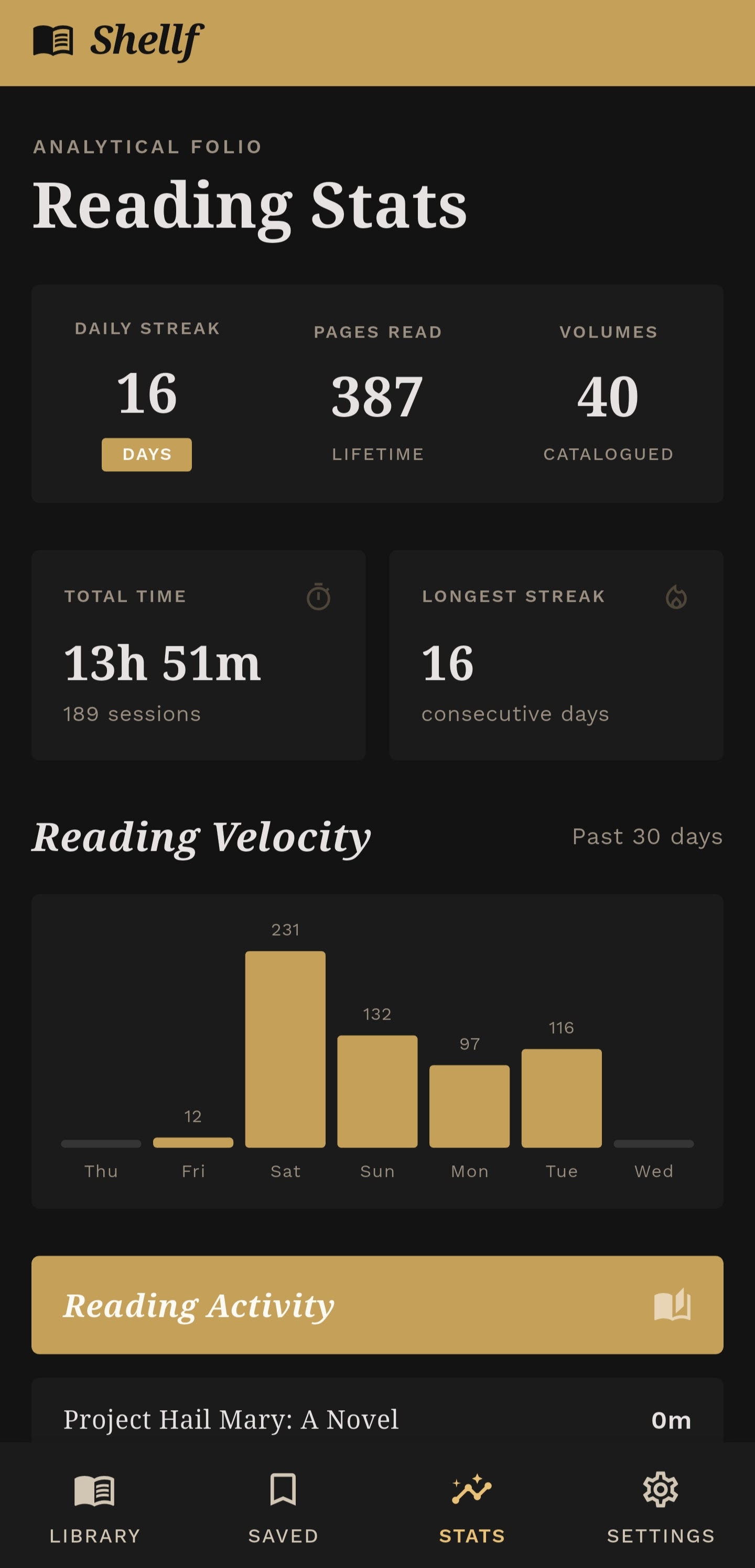
Sessions accumulate into statistics:
- Total reading time, all-time and per-book
- Current reading streak (consecutive days with at least one session)
- 30-day breakdown by day
- Per-book time distribution
None of this is novel. Every reading app has stats. But implementing it server-side, tied to Jellyfin’s user system, means it works across every client; the phone app, whatever web reader someone eventually builds, anything that speaks the API.
The parts Jellyfin didn’t warn me about
Building inside another system’s constraints means inheriting that system’s failure modes. A few that cost me real time:
ABI version mismatches. Jellyfin plugins reference Jellyfin.Controller and Jellyfin.Model NuGet packages, and the version in your .csproj has to match the server version exactly. If it doesn’t, Jellyfin silently ignores your plugin at startup. No error message. No log entry. The plugin simply doesn’t appear in the dashboard. This is the kind of failure mode that makes you question your entire build process before you figure out it’s a version number.
Silent plugin deletion. Jellyfin’s startup routine cleans up plugin folders that don’t have a valid meta.json. If your meta.json has a malformed GUID or a missing required field, the plugin directory is deleted. Silently. You come back to find the plugin directory gone and no indication of why. The fix is checking the meta.json schema carefully before first run, but the silence is brutal to debug.
The deployment race condition. The build-and-deploy process copies the compiled DLL into Jellyfin’s plugin directory and restarts the service. If Jellyfin starts fast enough that it begins loading plugins before the file copy finishes, it loads a partially written DLL and crashes with an error that points nowhere useful. The fix: stage files to a temp directory, do an atomic move, then restart. Simple once you know the problem, invisible until you hit it.
SQLite in WAL mode
Progress records and session data are stored in SQLite. The important configuration detail is WAL mode:
connection.Execute("PRAGMA journal_mode=WAL;");WAL (Write-Ahead Logging) lets reads proceed concurrently with writes. Without it, SQLite’s default journal mode uses exclusive locks, a heartbeat write blocks a simultaneous library browse request. With a reading app sending pings every 30 seconds, that contention shows up quickly. WAL eliminates it.
The database lives in Jellyfin’s application data path, which means it survives plugin reinstalls and server migrations as long as you carry the data directory with you. No separate backup step needed.
Installing it
The cleanest path is through Jellyfin’s plugin repository system:
- Dashboard → Plugins → Repositories → +
- Name:
Book Reader, URL:https://raw.githubusercontent.com/codevardhan/jellyfin-plugin-bookreader/main/manifest.json - Go to Catalog, find Book Reader, install, restart Jellyfin
Or grab the .zip from the releases page and drop it in your plugins directory manually.
Requires Jellyfin 10.11 or later.
Shellf the Android app
The plugin is the backend. Shellf is the Android app built on top of it. It connects it to your Jellyfin server, browse your library, and read EPUBs and CBZ/CBR files with progress synced back through the plugin API.
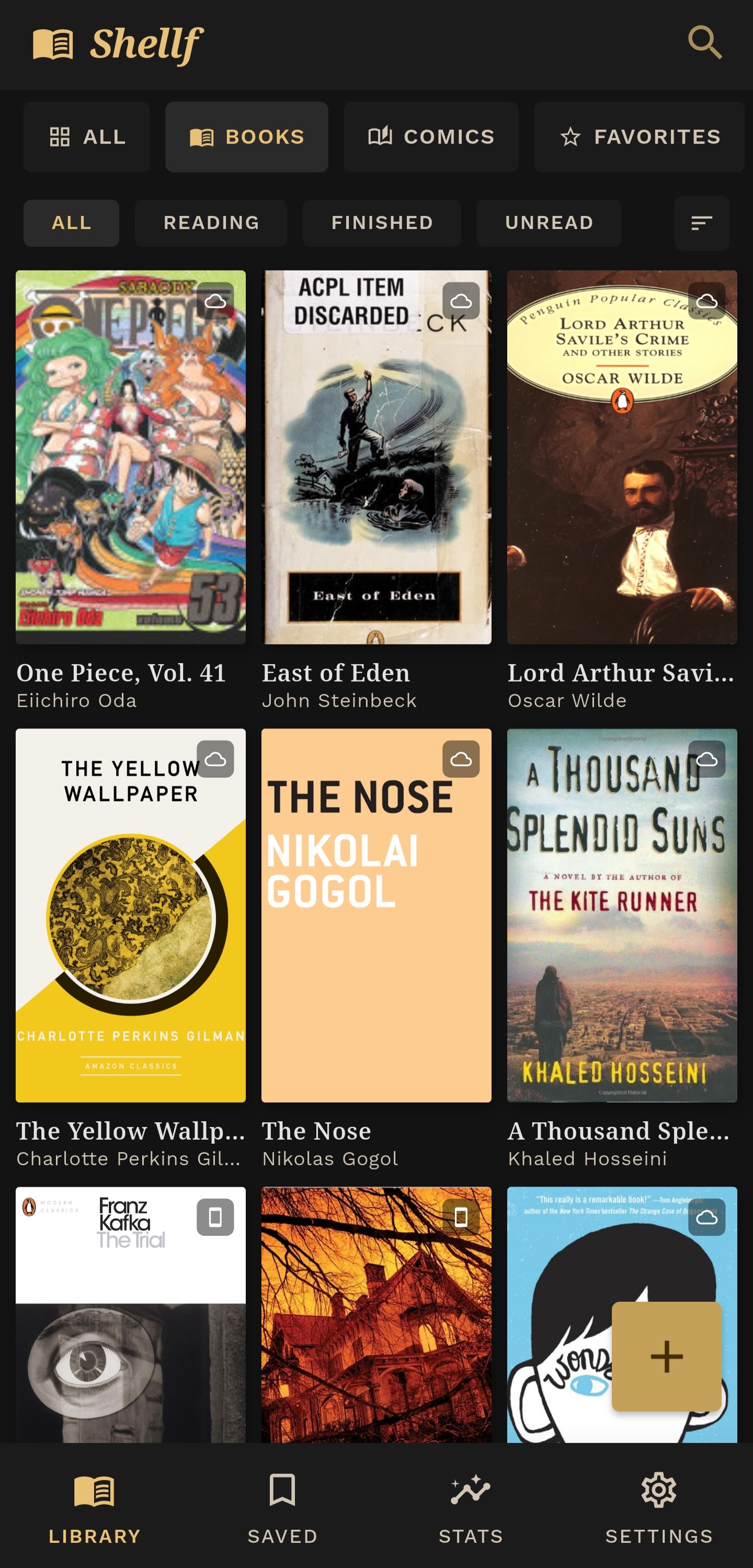
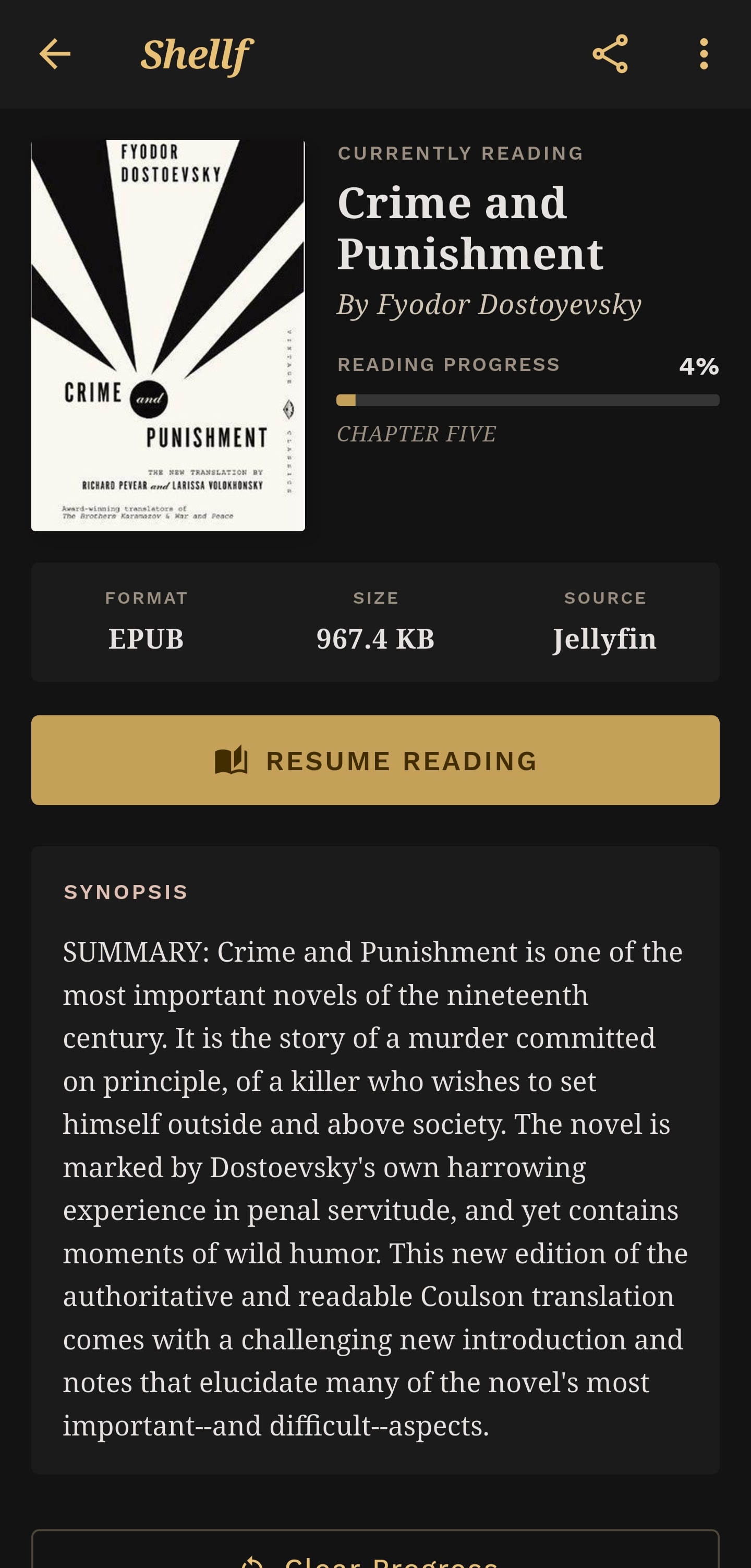
I’m currently looking for testers. If you run Jellyfin and have a book library you’d actually use this with, I want to hear how it works, what breaks, what formats give it trouble, what’s missing. Reach out at [email protected] or open an issue on the repo. Especially interested in hearing from people with large libraries and weird EPUB files, because that’s where the edge cases live.